Are you planning to stop using DoorDash and want to permanently delete your account? Perhaps you’re using a different food delivery app, or you simply no longer need DoorDash. Whatever the reason, this blog will guide you through the How to Delete DoorDash Account in a clean, easy, and official way.
Table of Contents
Important Things to Know Before You Delete Your DoorDash Account
Before you proceed, here are a few important points you should understand:
- Your DoorDash account will be instantly deleted
- All personal information will be removed within 30 days
- Some information may be retained as required under applicable laws.
- Once deleted, you cannot recover the same account
If you’re sure about deleting your account, continue with the steps below.
How to Delete DoorDash Account Step-by-Step Process
Follow these official steps carefully to permanently delete your DoorDash account:
Step 1: Visit the DoorDash Website
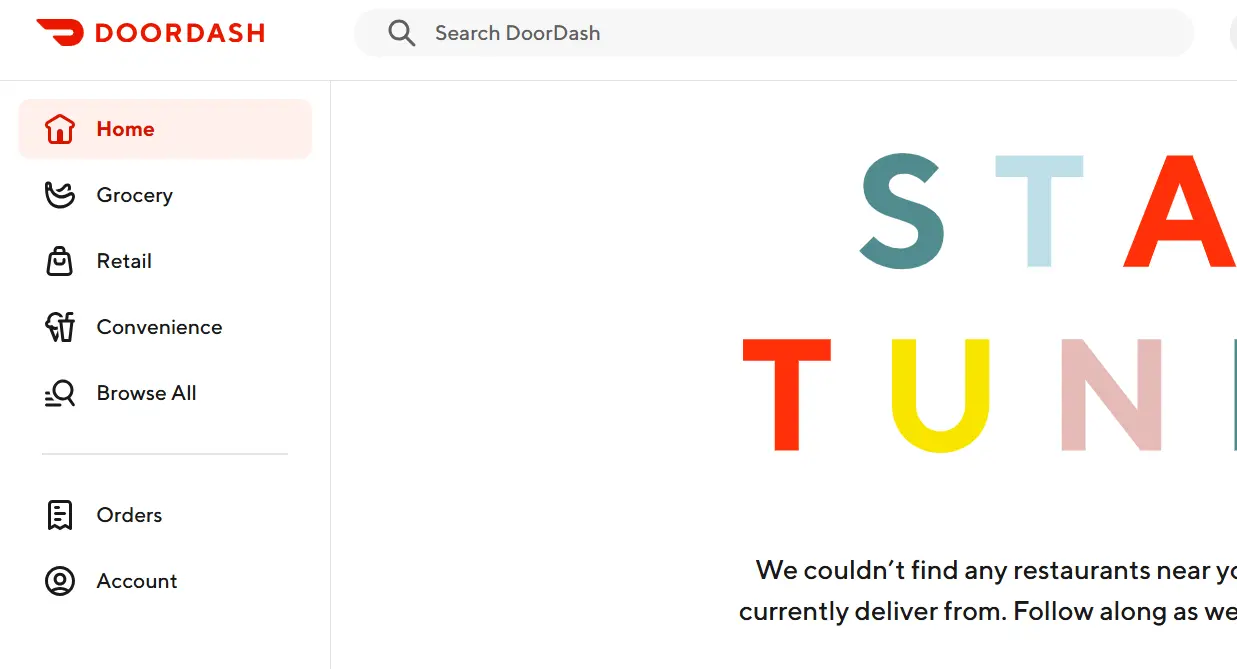
Step 2: Open the Menu and Click the menu icon (top left corner)
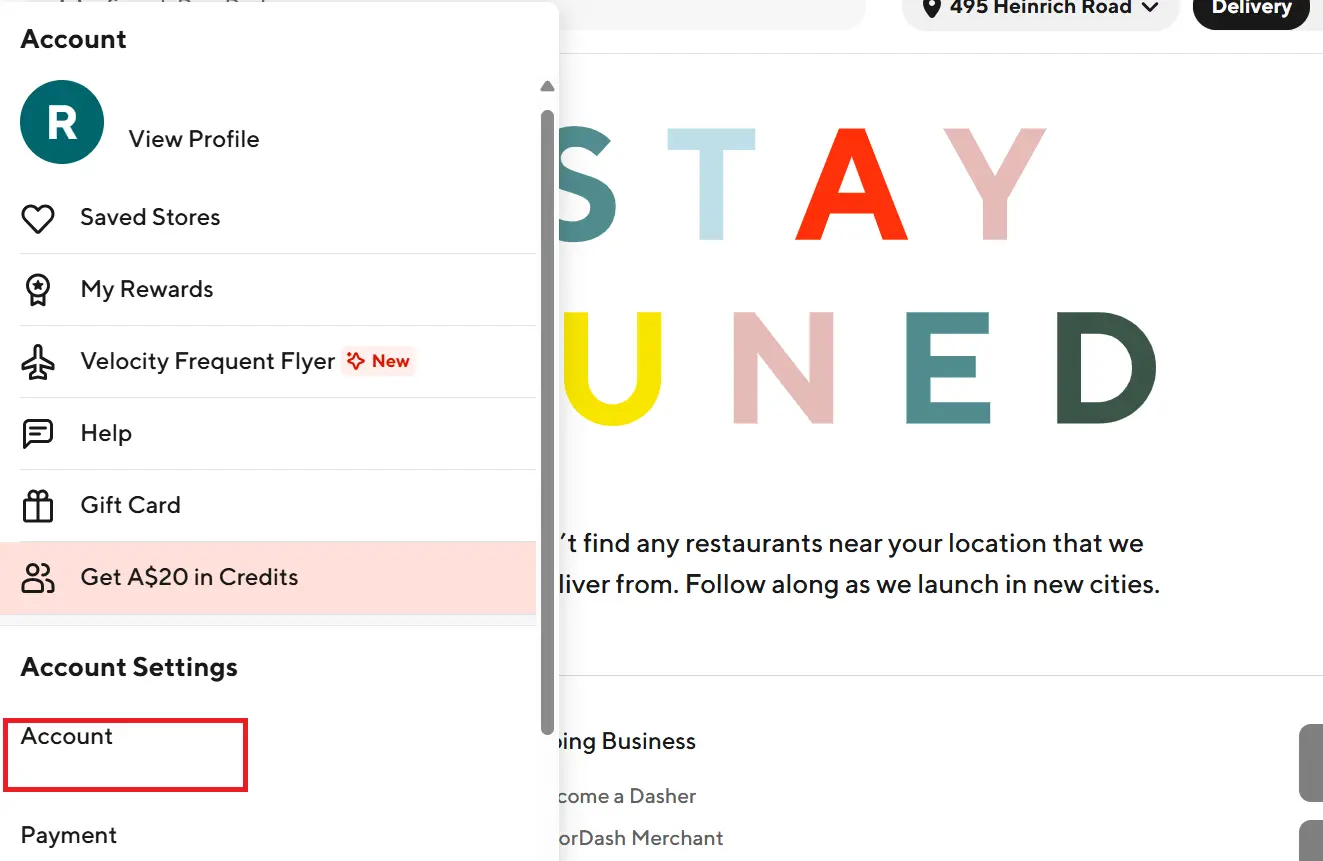
Step 3: Go to Account Settings and Select “Manage Account”
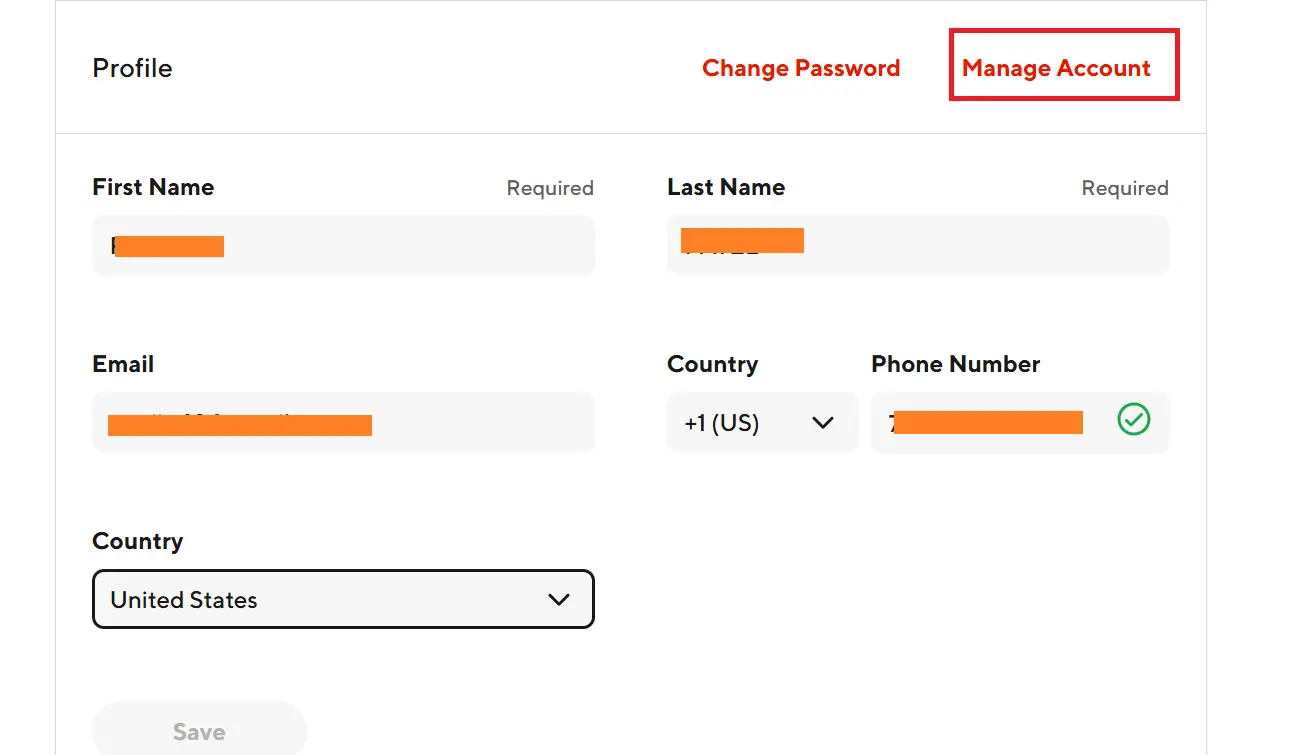
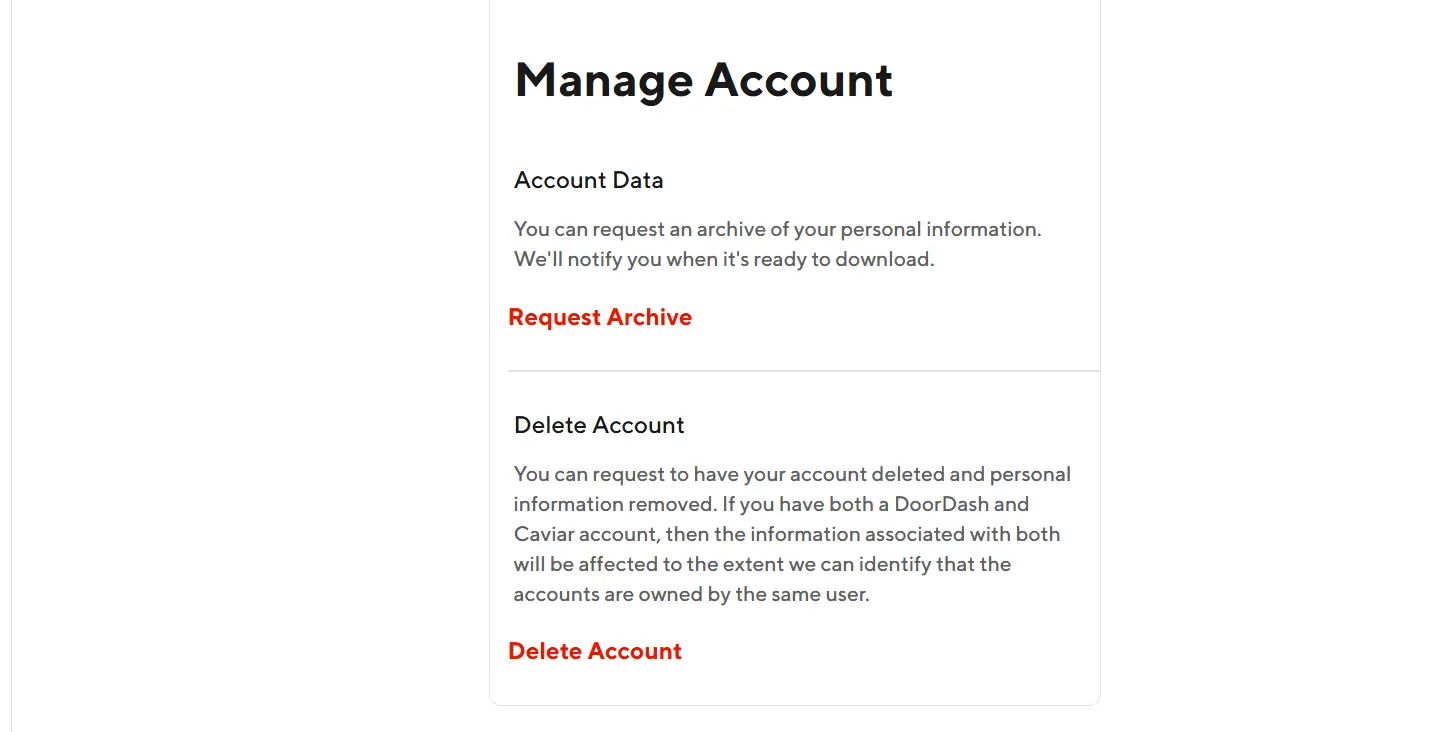
Step 4: Click on “Delete Account”
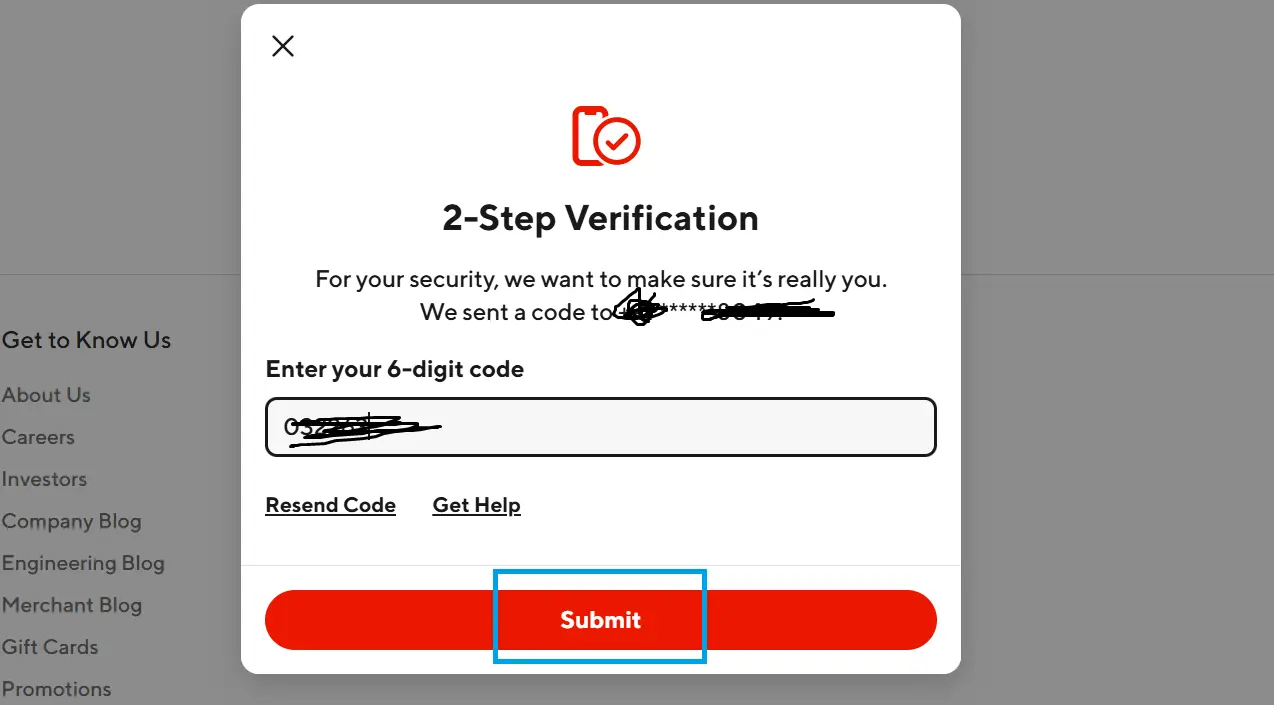
Step 5: Complete 2-Step Verification
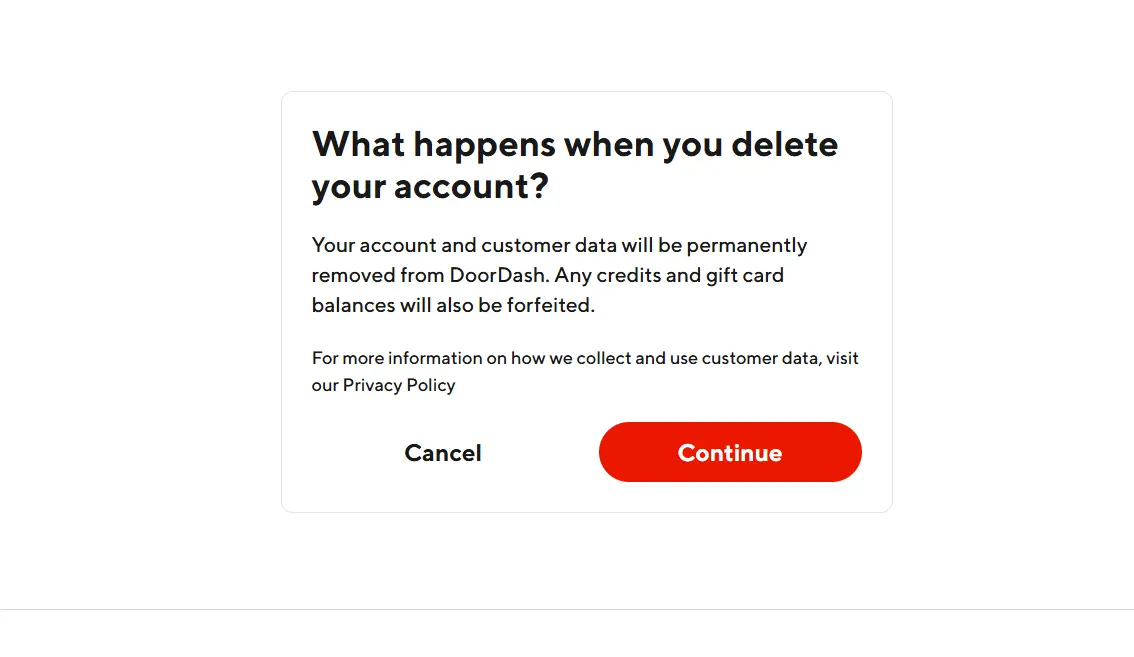
Step 6: Confirm Deletion
- Finally, click “Delete Account”
- Click “Submit”
- Click “Continue”
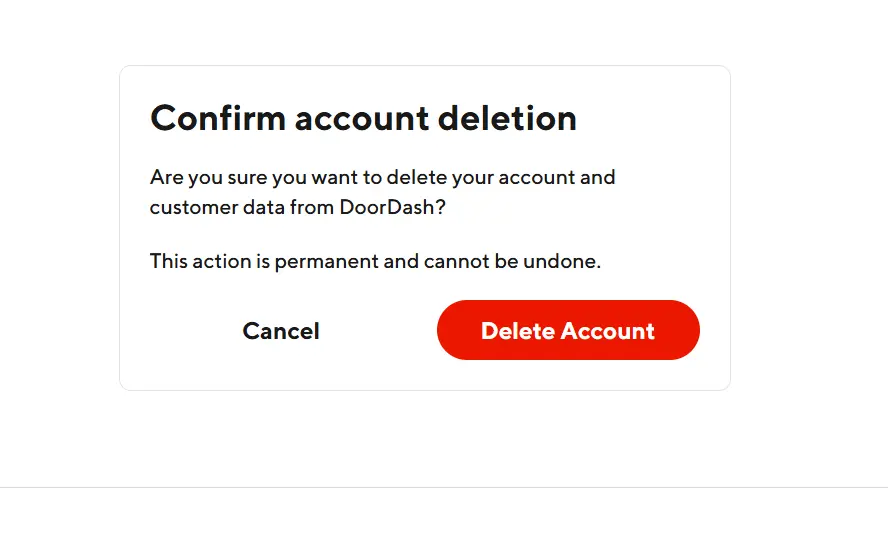
How Do I Permanently Delete a DoorDash Account?
If you’re wondering, ‘How do I permanently delete a DoorDash account?’, this guide will walk you through the official steps and Delete Account option inside Manage Account and complete the 2-step verification. Once confirmed, the account is permanently deleted.
Read More: How to Delete Robinhood Account Safely 2026
How to Deactivate DoorDash Account
Currently, DoorDash does not offer a temporary deactivation option. So if you’re looking for how to deactivate DoorDash account, keep this in mind:
- You can only delete the account
- Deletion is permanent
- No pause or temporary disable feature is available
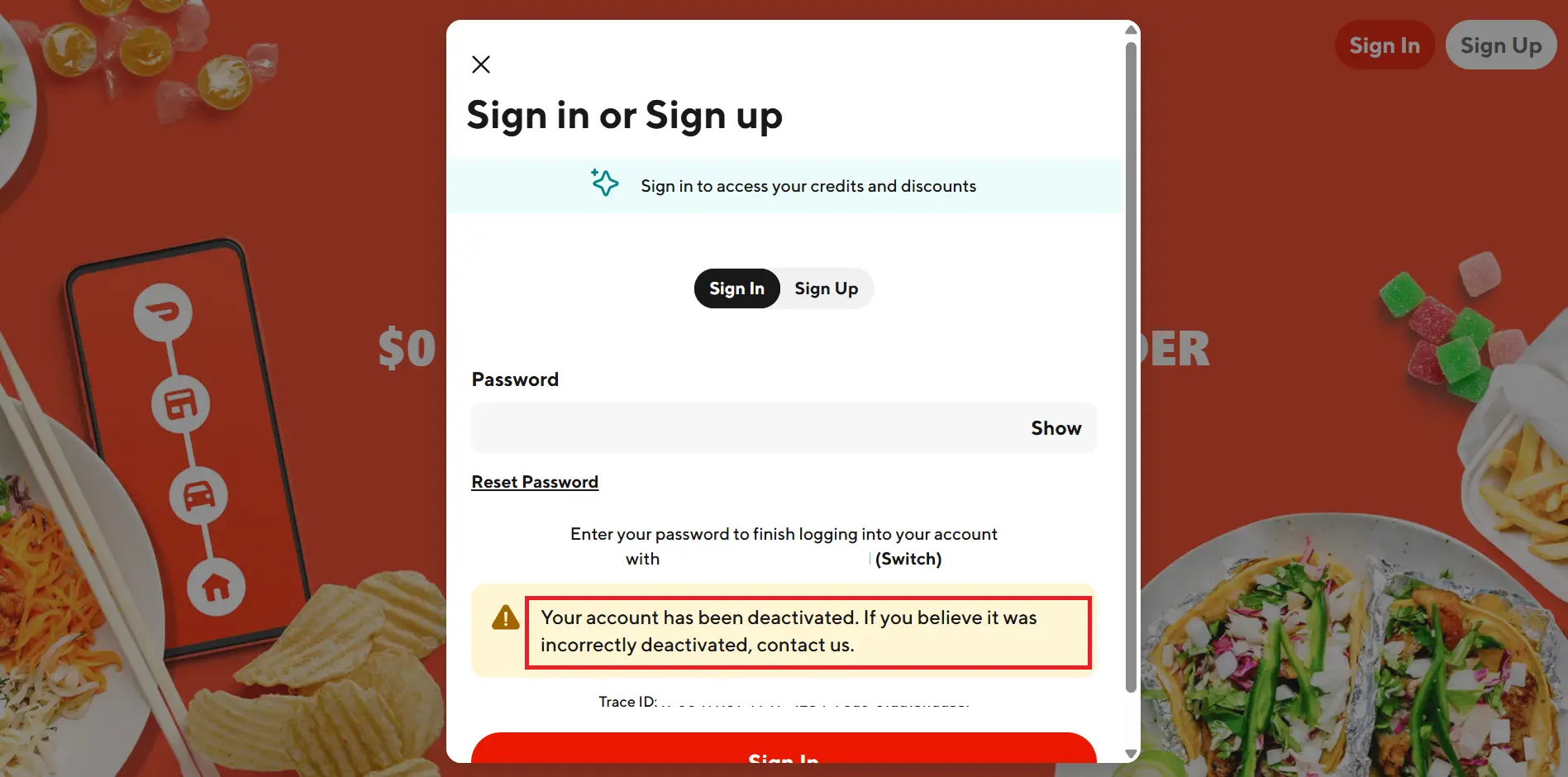
How to Delete DoorDash Dasher Account
If you’re a Dasher and searching for how to delete DoorDash Dasher account, the process is similar:
- Log in to your DoorDash account
- Go to Account → Manage Account
- Choose Delete Account
- Complete the verification steps
What Happens After You Delete Your DoorDash Account?
- Account access ends immediately
- Personal data is removed within 30 days
- You won’t receive DoorDash notifications or emails
- You’ll need a new account if you ever want to use DoorDash again
Conclusion
Friends, we have explained in simple and easy language through this blog how to delete your DoorDash account. If you also want to delete your DoorDash Dasher account, the process for that is also explained. Please follow these steps; your account will definitely be deleted.
Frequently Asked Questions-FAQs
-
Can I recover my DoorDash account after deleting it?
Ans: No. Once deleted, the account cannot be recovered.
-
Is DoorDash account deletion instant?
Ans: Yes, the account is deleted instantly, but data removal may take up to 30 days.
-
Can I deactivate DoorDash temporarily?
Ans: No. DoorDash only allows permanent deletion, not temporary deactivation.
-
Do I need a verification code to delete my account?
Ans: Yes, a 6-digit code sent via text is mandatory.
-
Can I create a new DoorDash account after deletion?
Ans: Yes, you can create a new account using fresh details.