If you’re searching for how to delete Robinhood account, you’re not alone. Many users want to close or deactivate their Robinhood account due to inactivity, switching platforms, or personal reasons.
Good news: Robinhood allows you to deactivate your account first and then permanently close it—Simply follow the given process.
In this guide, I’ll explain How to Close Robinhood Account, How to Deactivate Robinhood Account, and what you must do before deleting it, using only official Robinhood information (no outside sources).
Contents
Before You Delete Your Robinhood Account Must Read
Before starting the process, there are a few important things you need to complete. Skipping these steps is the most common reason users say “Can’t delete Robinhood account.”
Things you must do before deactivation
- Close all open positions in your brokerage account
- Withdraw your entire remaining balance
- Make sure your account balance becomes $0
- Download important documents like:
- Account statements
- Tax documents
- Trade confirmations
⚠️Note:– Once your account is permanently closed, you won’t be able to log in or retrieve documents later.
- Read More: How to Delete Curology Account
- Read More: How to Delete Venmo Account
How to Deactivate Robinhood Account Step-by-Step Process
If you’re wondering How to Deactivate Robinhood Account, follow these official steps. You can do this on iPhone, Android, or web.
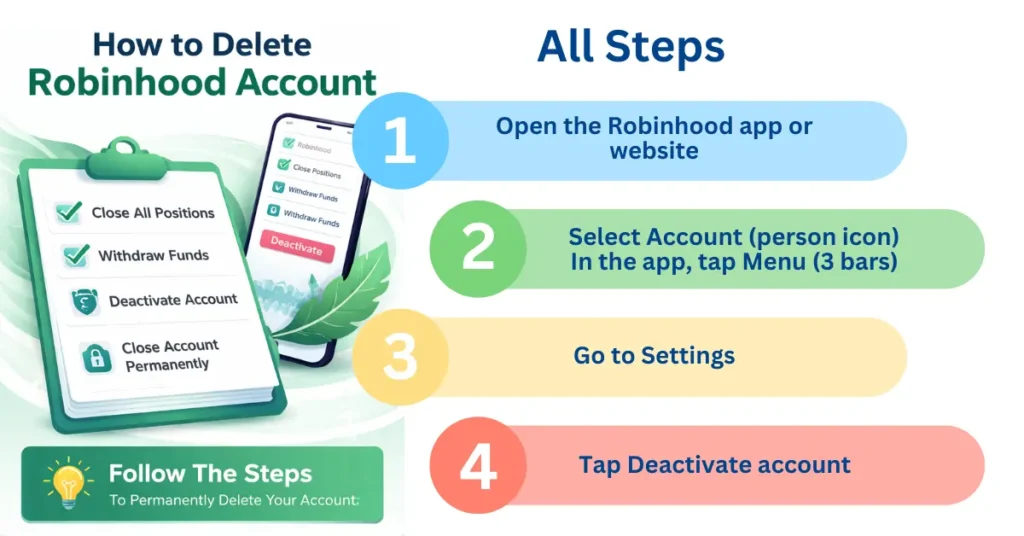
Steps to deactivate your Robinhood account
- Open the Robinhood app or website
- Select Account (person icon)
- In the app, tap Menu (3 bars)
- Go to Settings
- Tap Deactivate account
- Follow the instructions to:
- Close all brokerage positions
- Withdraw your outstanding balance
- Once your balance is $0 and positions are closed, confirm the deactivation request
What happens after deactivation?
- Your account becomes inactive
- You can still access:
- Historical statements
- Tax documents
- Trade confirmations
- Reinstalling the app later will NOT reactivate your account
This step answers most users asking How to Deactivate Robinhood Account safely.
How to Delete / Close Robinhood Account Permanently
After deactivation, you can proceed with how to delete Robinhood account permanently.
Important things to know before closing
- Account closure is permanent and irreversible
- You’ll lose access to:
- Login
- Statements
- Tax documents
- You’ll be unsubscribed from all communications
Steps to permanently close your Robinhood account
- Open the Robinhood app or web version
- Select Account (person icon) → Menu (3 bars)
- Go to Settings
- Tap Close account permanently
- This option appears only after deactivation
- Confirm your request
How to Delete Robinhood Account on iPhone
The process on iPhone is exactly the same:
- Open the Robinhood app
- Tap Menu (3 bars) → Settings
- First Deactivate account, then Close account permanently
How to Close Robinhood Account and Get Money My Bank Account
To get your money:
- Withdraw your entire balance before deactivation
- Ensure your balance shows $0
- Only then can you deactivate and close the account
Why Can’t I Delete Robinhood Account?
Common reasons include:
- Open trading positions
- Remaining balance not withdrawn
- Account not deactivated yet
Fix these issues first, and the Close account permanently option will appear.
Just remember:
- Deactivation comes first
- Closure is permanent
- Download all documents before deleting
Conclusion
If you’re looking for how to delete Robinhood account, the process is simple—but strict. First, deactivate your account by closing positions and withdrawing funds. Then, once your balance is zero, you can permanently close your Robinhood account.
Follow the steps above, and you won’t face the “Can’t delete Robinhood account” issue again.